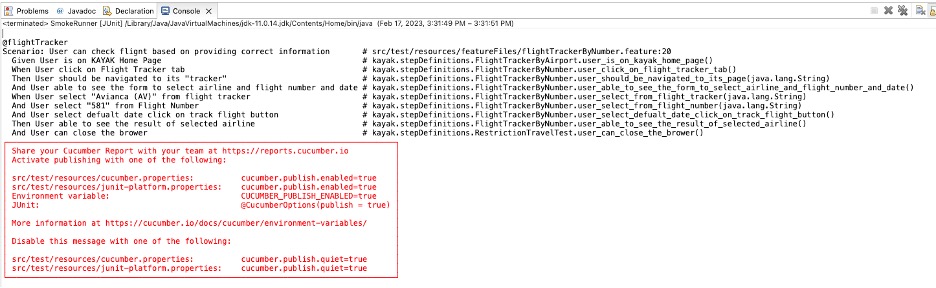
UI Web Browser testing on BDD framework using Selenium | Cucumber
- Website Tested: https://www.kayak.com
- Source Code Management Tool: Github via SourceTree
- Open-source testing framework: Cucumber
- IDE: Eclipse
- Language: Java
- Testing Technique: Behavior-Driven Development (BDD)
- Automation Testing Tool: Selenium WebDriver
OVERVIEW
PROJECT
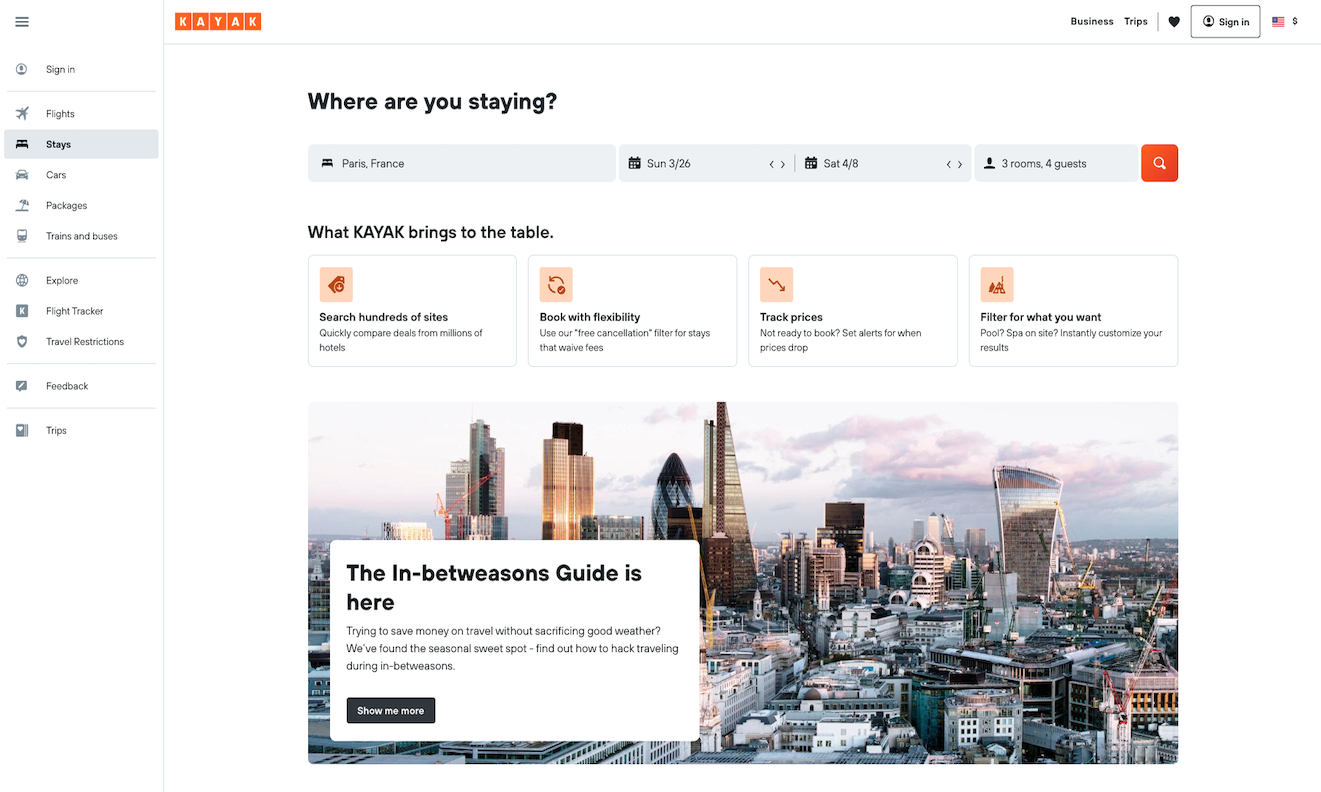
This is a bit challenging for me because Kayak is a dynamic website that contains mutable data, and the web elements always change with every request to the website. Also, I have to deal with multiple windows that link to Kayak’s partner websites such as hotel.com. The project overview is testing if features in a web page are functioning correctly, especially the process of booking a hotel in a city, date, and time that the user is selecting.
- Unit Testing Framework: Cucumber – to control flow and assert data. We know that Cucumber was developed to make it easier for developers, testers, and business management teams to work together on behavior-driven development projects. It is based on the principle that tests should be written in a language everyone on the team can understand. In this project, I use Cucumber testing and there are a few things that I have to set up.
- Maven - to manage dependencies.
- Page Object Model (POM) – to create an object repository for storing all web elements. Each web page of an application is considered a file class and each class file contain only corresponding web page elements.
- Page Factory – using @FindBy to locate and declare web elements using different locators
- Utilities package – to reuse utility classes that can be used across different classes of the framework. For example
- property file – to maintain the input data in the test scripts. In this file, data is stored as Key-Value pairs, so we can access any data in this file by using the key
- xml file – to easily control the execution of tests by only putting all the test cases together and running them under one file
FRAMEWORK DESIGN
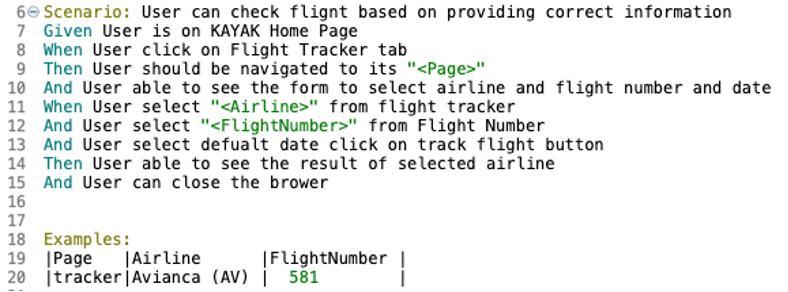
- - feature file or a file with a .feature extension that contains a description
of the feature and individual scenarios I test. Gherkin syntax will be used here
and each scenario should include the Given, When Then that everyone can understand
and be on the same page. In this example, I also use a set of data to test
the process that you can see in the Examples table.
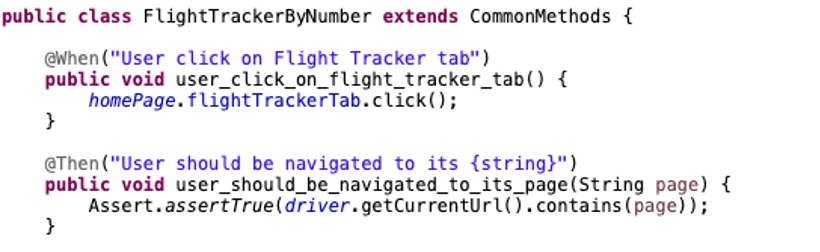
- - Step definitions package that contains the class file(s) with a small piece of code
in java method with an expression that links it to one or more Gherkin steps in the
feature file. When Cucumber executes a Gherkin step in a scenario, it will look for
a matching Step Definition to execute.

- - Test Runner will be used for running tests for Cucumber. In the test runner file
contains the path of the feature file and step definition file that we want to execute.
In my runner file, I imported “cucumber-junit” to execute cucumber scenarios.
I am using plugin of “pretty” and “html” to be my test result format, indicating feature
file path that glue or match with Step Definitions. I have dryRun (= true) for giving me
a way to quickly scan your features without actually running them.
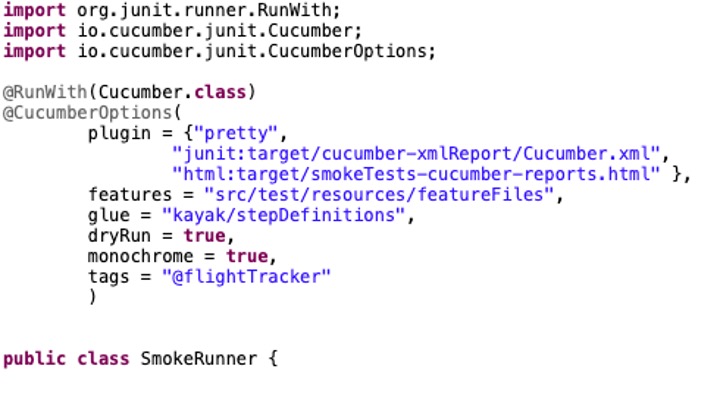
- Also, I set monochrome = true to specify the console output from Cucumber in a readable format.
And I can use tags to specify to execute only the feature file(s) that was tagged.